Motion design & production
One campaign, several formats: planning motion that survives the resize
How to plan landscape, portrait and short motion edits: readable UI, reusable After Effects elements, retouching, review and a clear delivery list.
 By Ed McCulloch ·
My work brings After Effects motion design together with commercial retouching and compositing. That combination matters when a campaign needs to work in several shapes: the timing, the layout and the image all have to survive the change.
A landscape product film, a portrait social advert and a short reminder can share an idea without sharing every shot. The useful production question is which elements should stay consistent, and which need their own treatment.
This guide explains how to plan those versions before animation is locked. The examples are hypothetical production scenarios, rather than claims about a particular client campaign.
Count the actual deliverables, not just the aspect ratios
“We need landscape and portrait” leaves several decisions open. Is each version the same length? Does each need captions? Are there two offers, three languages or separate calls to action? A small list of formats can become a much larger set of files.
Write one row for every distinct deliverable, with its placement, frame shape, duration, message, language and sound requirements. Ask the media owner or publishing team for the current technical specification. Treat pixel dimensions, frame rate, safe areas and encoding as supplied delivery requirements, rather than assumptions based on a platform name.
For example, a modest launch package might contain the three pieces below. These durations are illustrative choices, not platform limits.
- Website film · landscape · 30 seconds
- Explain a product journey with room for context. Specify playback behaviour, captions and whether the story must work silently.
- Social advert · portrait · 15 seconds
- Focus on one benefit and one visible interaction, with its own layout and ending.
- Reminder · portrait · 6 seconds
- Make the product and a single message recognisable without relying on the longer film.
Test the hardest layout while the design is still flexible
Choose the most demanding frame before polishing the master. A wide desktop interface in a narrow portrait frame is an obvious stress test. A panoramic screen with a short viewing opportunity can be just as restrictive.
Ask for one representative style frame in the widest and narrowest required layouts. It should include the largest headline, the important product detail and any mandatory copy. This is a useful place to discover that a two-line title becomes five lines, or that the product needs a different angle.
Approve the hierarchy across those frames: what is seen first, what must remain readable and what can be removed. Trying to keep every element at once often makes the whole composition too small.
For SaaS and app motion, protect the interaction
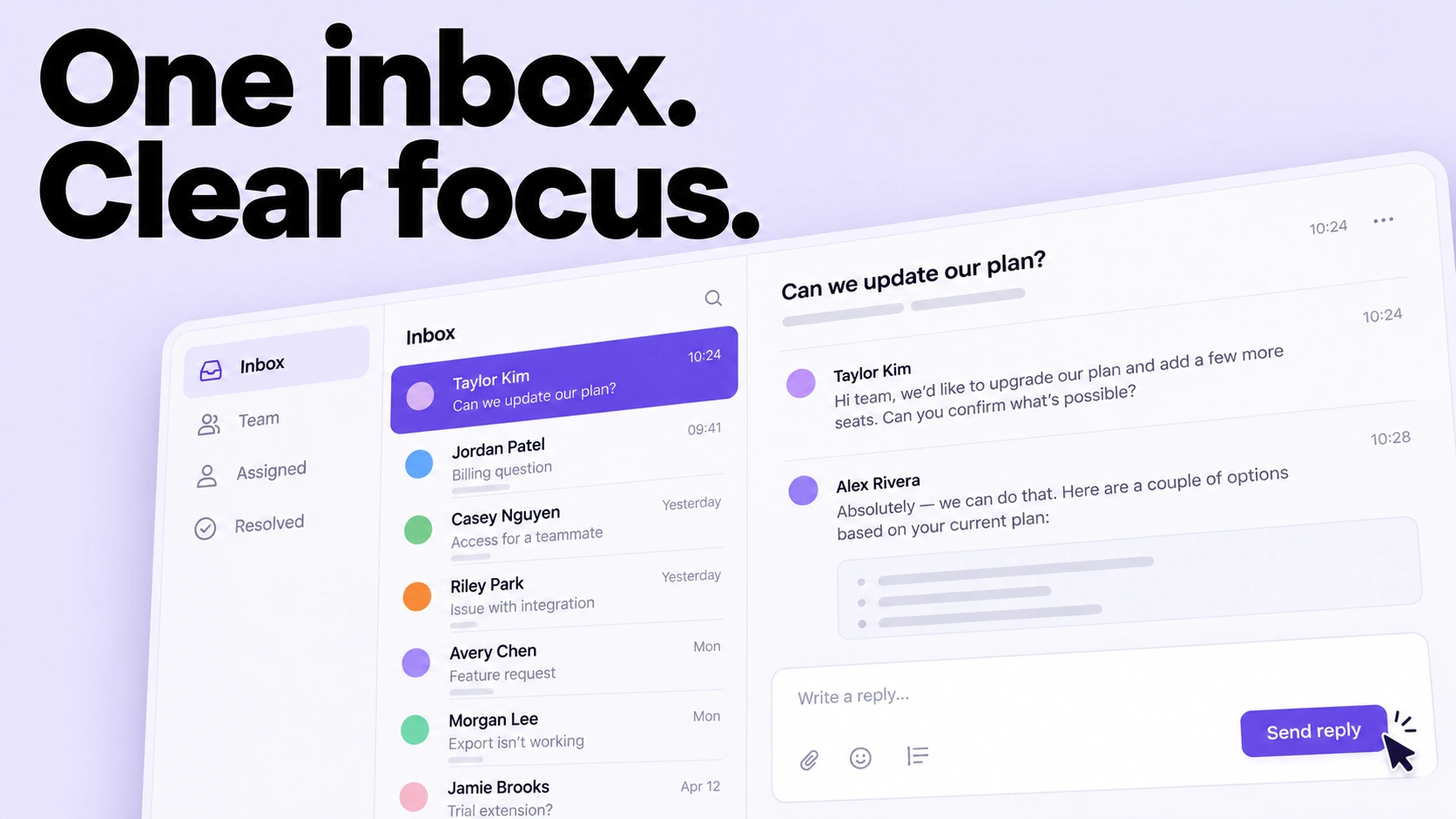
A screen can fit inside the frame while its meaning disappears. If a viewer cannot connect the selected button to the result, the demonstration has lost the part that explains the product.
Consider a hypothetical dashboard film: a user selects an item, opens its details and confirms an action. The landscape edit might show the full interface. The portrait edit could move through carefully framed details while preserving the same sequence and making the active control clear.
Do not quietly replace a desktop workflow with an invented mobile screen. Use approved mobile designs when they exist, or agree a clearly stylised presentation. Supply the real interaction order, approved UI states and safe demonstration data. Those give the designer something reliable to simplify.
Review a small version at normal playback speed. Pausing a full-resolution frame on a large monitor is useful for checking artwork; it does not tell you whether a customer can follow the film on a phone.
Shorter edits need their own story
A fifteen-second cut should not automatically be the thirty-second film played faster. Speeding everything up can remove reading time while keeping explanations that no longer earn their place.
Write the shorter version as a sequence of decisions: what must the viewer understand, which shot proves it, and what should they do next? A six-second reminder may need only a product, a benefit and an ending. It should still make sense to someone who never saw the longer film.
Review sound and silence separately. If the intended placement needs sound-off communication, make the key message visible. If voiceover is essential, plan an appropriate captioned version and leave space for it in each composition. Cutting the picture alone can leave the spoken sentence or music unresolved.
Build reusable elements around known changes
In After Effects, a campaign can be organised around recurring elements such as titles, interface panels and end cards. The brief should identify what is likely to change: a headline, price, screenshot, colour or duration. That helps determine where reusable controls are worth building.
Adobe’s Motion Graphics template workflow allows a designer to expose selected controls for editing in Premiere. A template can therefore be useful when an in-house editor needs repeated text or graphic updates. It is an additional deliverable to scope and test, not something every finished film automatically includes.
Adobe’s Responsive Design – Time feature can preserve the duration of protected animation regions while unprotected sections stretch. That can help retain an entrance and exit while changing a hold. It does not decide how a landscape layout should become portrait, or which message belongs in a shorter cut.
Test the longest permitted text, the shortest required duration and the replacement assets the team will actually use. A reusable setup is valuable when its limits are clear.
Budget for the image work behind a new composition
Reframing can expose missing image area. A product photograph may have room for a headline on one side but no usable space above it. Moving the product without its contact shadow can make it feel detached from the surface.
Supply high-resolution originals and layered files where available, with approved logos and product artwork kept separately. Identify details that must remain exact: a label, packaging geometry, skin treatment or material colour. Retouching and compositing can then be planned around those requirements.
An extended background still needs plausible perspective, lighting and texture. Enlarging an image does not guarantee that fine detail will hold up. Ask for a review at the intended crop and delivery size, especially when a small product in the master becomes the centre of a portrait version.
Approve a family of versions, then check each export
Use three clear review stages: first approve the idea and representative layouts; then approve the complete motion and the shorter edit; finally review the full delivery set. Give one person responsibility for combining feedback so conflicting copy changes do not spread across versions.
During the last review, compare the exact headline, product asset, offer and ending across all files. Then watch every version independently from beginning to end. Check line breaks, readable holds, captions where required, audio endings and any required safe areas against the agreed specification.
Use descriptive filenames that include the campaign, ratio, duration, language and revision. Keep approved exports separate from review files. The final handover should make it obvious which file belongs in which placement.
What to include when requesting a quote
Send the deliverable list, one clear campaign message, the approved assets and any likely future changes. State whether you need finished exports only, editable After Effects source, or a template for your own team. Include the delivery deadline and who will approve the layout, copy and motion.
If the budget is tight, prioritise the placements that matter most and agree where a simple adaptation is acceptable. Separate new creative work from extra exports in the scope. That makes the trade-offs visible before production begins.
I’m based in Salford, Greater Manchester, working with UK and international brands and agencies. Whether you are planning a Manchester campaign or a wider launch, send the intended placements alongside the idea: they help shape a motion approach that works across the whole set.